Notifications
Allow notifications
from the app.
 AI Call
Get it on Google Play
AI Call
Get it on Google Play
A call-style wake-up alarm for Android
Wake up with a hello from Ai in Helsinki.
Make your usual alarm a moment to look forward to.
Choose your time. Answer as if you were picking up a call.

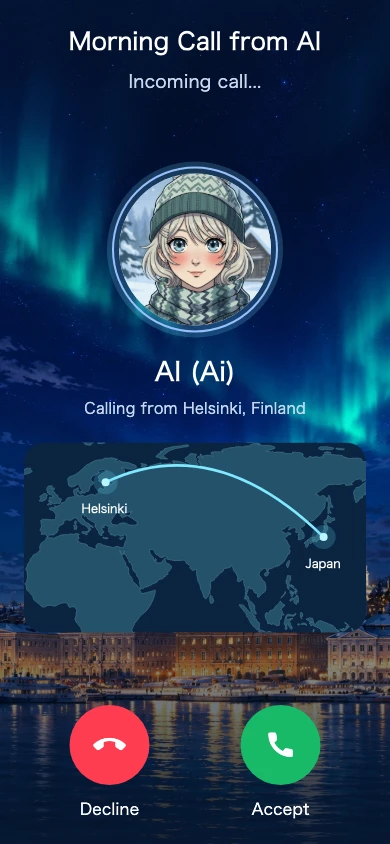
Meet Ai, a character whose story is set in Helsinki. A familiar voice for your mornings and a little conversation before bed.
Set your time. Wake up to a voice greeting.
Enjoy a little chat before bed or after waking.
An incoming call inspired by Helsinki.
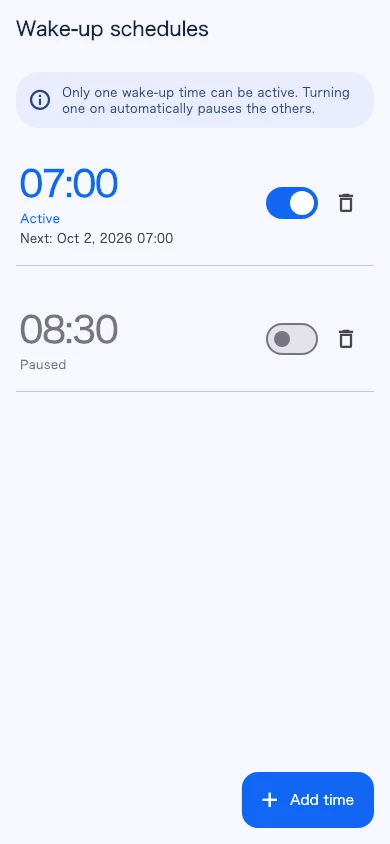
Save your time and switch it on.
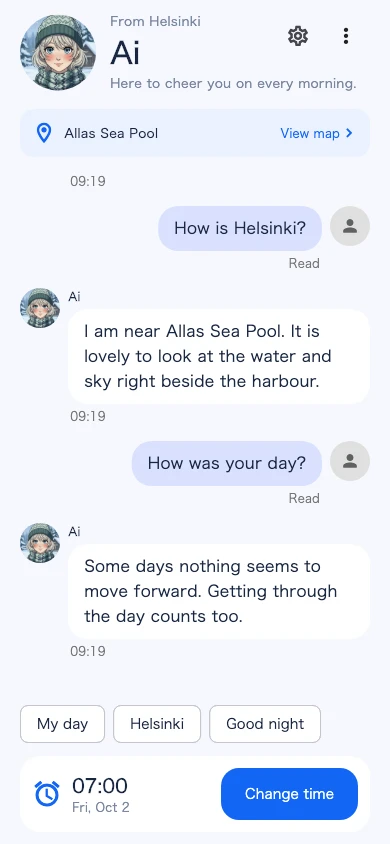
Your day, or stories from Ai’s city.
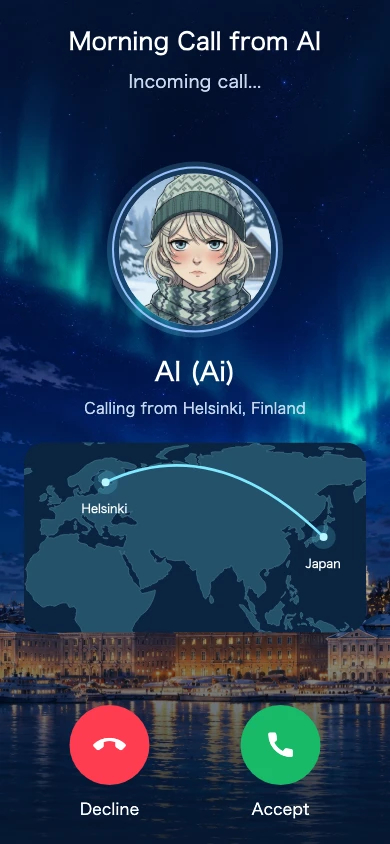
Smiling, concerned, a little grumpy.
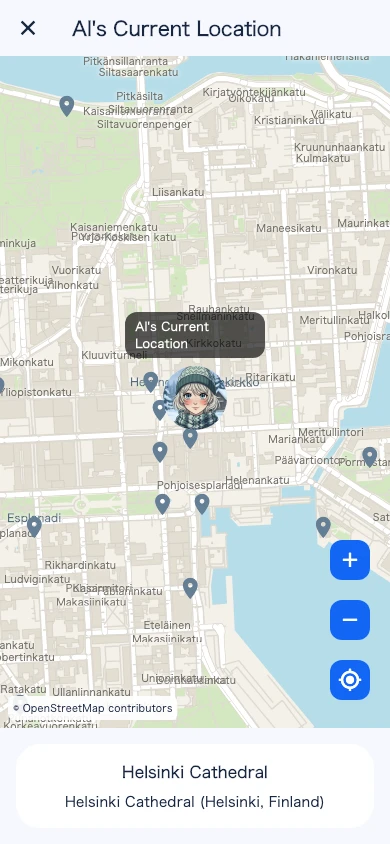
Ai’s fictional location and Helsinki landmarks.
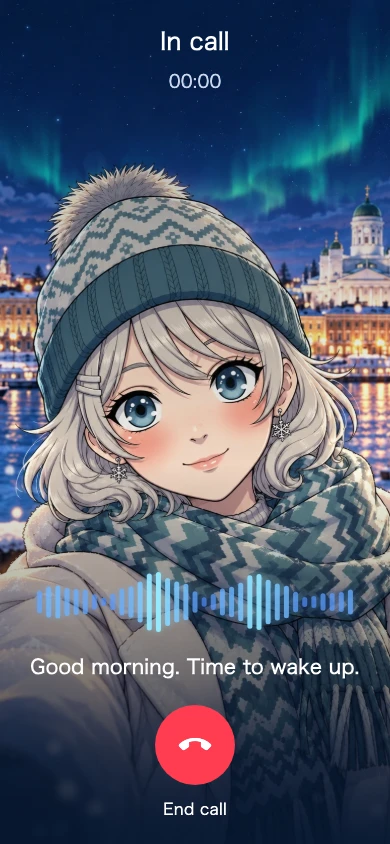
Answer the call to hear her voice.
Before bed. After waking.
Your day, Helsinki, or a good-night greeting. Choose a topic for a little chat with Ai, including stories about her surroundings.
160 prewritten conversation patterns in Japanese and English. Conversation and call history are kept for 30 days.
Ai’s city, Helsinki
The cathedral, harbour, cafés and library. Explore 36 city spots on the map and get a glimpse of Ai’s daily life.
The bundled map works offline. Ai’s location is fictional. Exploring the map does not change where she is.
Choose your wake-up
time in the app.
Your call arrives
at the scheduled time.
Answer to hear
Ai’s voice.
Save multiple times. Only one can be active at a time.
If you don’t answer, Ai tries again with a different expression.
A smile to
start the morning.

Still asleep?
A little concerned.

One last call.
A little grumpy.
Up to 3 calls. Once you answer, the remaining calls stop.
Allow these permissions so the app can deliver your wake-up call.
Allow notifications
from the app.
Allow the app
to schedule alarms.
Allow incoming calls
to appear full-screen.
AI Call is an Android wake-up alarm featuring Ai, a character whose story is set in Helsinki. Enjoy call-style notifications, voice greetings, up to three calls, selectable conversations and a map of her city.
This is an in-app call-style experience, not a real international phone call. Conversations use selectable topics and prewritten replies, rather than open-ended AI chat.
Wake-up call setup and Android permissions guide →| Platform and price | Download the Android app for free on Google Play. |
|---|---|
| Call attempts | Up to three: at the scheduled time, 3 minutes later and 6 minutes later. Answering stops the remaining calls. |
| Scheduling | Save multiple times with one active schedule. It turns off after answering or the final call; turn it on again for your next use. |
| Voice and connection | Answer to play Ai’s voice message. Internet access is required to load and play audio. |
| Conversation | 160 selectable, prewritten conversation patterns with Japanese and English support. |
| Helsinki map | 36 landmarks on a bundled offline map. Pan and zoom freely; Ai’s fictional location cannot be changed. |
| History | 30 days of conversation and call history. Delete it with Reset conversation. |
Screens and features were checked against the new app under development. They may differ from the currently distributed version. Check Google Play for device compatibility and availability. Check availability on Google Play
Created and maintained by Yuta Kikuchi · Updated: · Terms and privacy policy (Japanese)
VOICES
“I worry less about oversleeping.”
FAQ
Yes, but only one time can be active. Turning on another time automatically turns off the others.
Up to three: at your scheduled time, 3 minutes later, and 6 minutes later. Answering cancels the remaining calls.
Ai’s audio plays. An internet connection is required to load the audio.
Check the required notifications, exact alarm and full-screen notification permissions in the app settings. Display methods and settings vary by device, OS and battery configuration. Keep a backup alarm for important plans.
In-app conversation history is automatically deleted after 30 days. You can also delete it using Reset conversation.
AI Call is available to download for free on Google Play for Android. This website introduces the Android version.
The schedule turns off when you answer or after the final call. Check the time and turn the schedule on before using it again.
Choose topics about your day, Helsinki or good night. There are 160 prewritten conversation patterns, including stories about her fictional location. This is not open-ended AI chat.
You cannot change Ai’s position. You can pan, zoom and browse landmarks on the map. Her current location is part of the fictional character setting.